Men's Watches · with Marco and James
AI men's watch photoshoot, from one product photo
A watch is small, so choose the pose and the frame for the job: set the frame to Waist up to bring the wrist closer, as in Marco's first photo, or keep a full-length look for the whole outfit. Photograph the watch face on, with the bracelet or strap open.
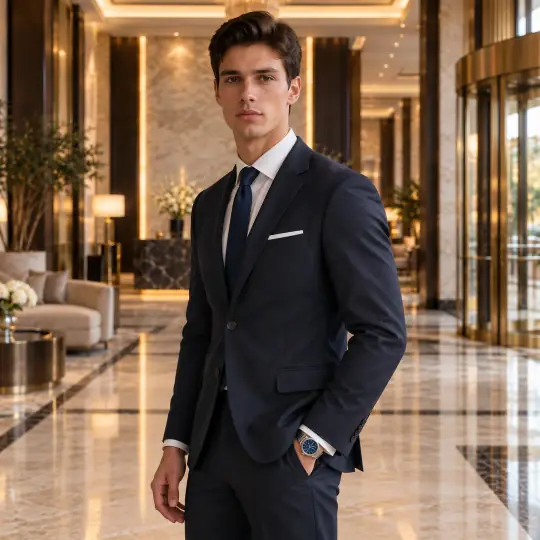
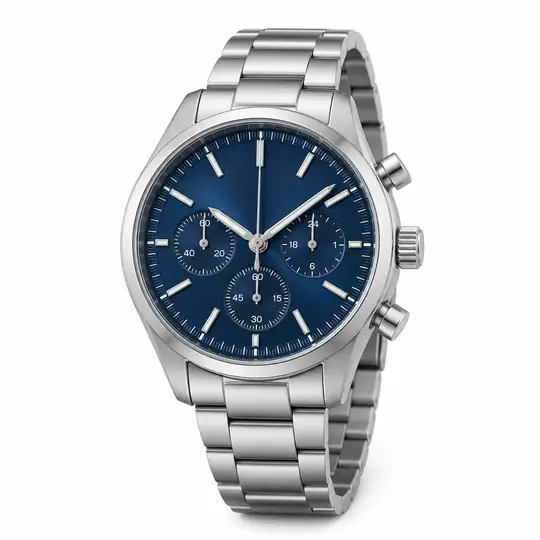

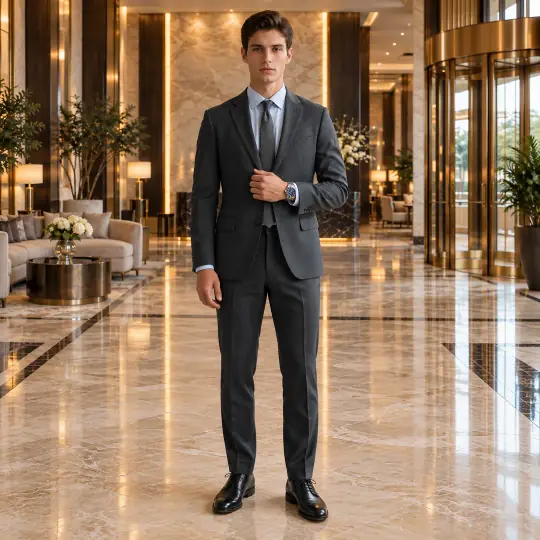
Shown here: Marco and James, A Pose Studio models. The photo in the corner of the first image is the one product photo it was made from. Made in the A Pose Studio app, for 5 credits an image; the product photos are AI-generated and unbranded.
Before you upload
The product photo
- Photograph the watch face on, bracelet or strap laid open.
- Avoid reflections on the dial; they can be read as markings.
- Add a side photo for the case and crown.
More in preparing product photos.
In the app
Poses and scenes that work
- A cuff pull puts the wrist at chest height, the dial facing the camera.
- Hands loosely clasped: a relaxed full-length look.
- Wrists crossed: the closest view of the dial.
Luxury scenes such as Hotel Lobby suit dress watches; a studio scene keeps a sports watch clean.
Choose the model your buyers look like
A Pose Studio has 40+ models, so you can show the same product on a young slim model, a plus-size or mature one, or a model who wears a turban or a prosthetic leg. On the Model step of Create, filter by gender, age, ethnicity, body type or collection, or browse first on the models page. The price is the same for every model: 5 credits an image, ₹12 to ₹15$0.35 to $0.50 depending on the pack. Pricing.
What to check before you publish
Compare each image with your product photo: the size next to the model, the colour, and details such as the dial, the lenses or the hardware. Retry any image with a note on what should change; every version is kept. How to retry. Also see everything else A Pose Studio makes for a listing.