Ghost mannequin
Your garment in its worn shape, with no model and no mannequin
Upload your garment photos and get the invisible-mannequin look sellers pay a studio for: the clothing alone, filled out as if worn, on a clean white background.
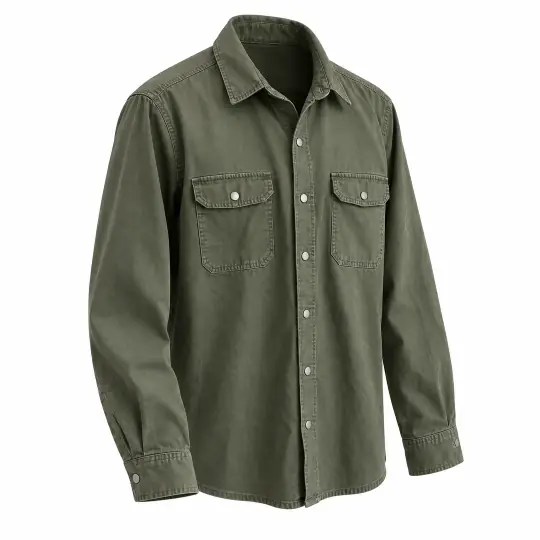
Made in the app
A phone photo on a hanger, two clean angles
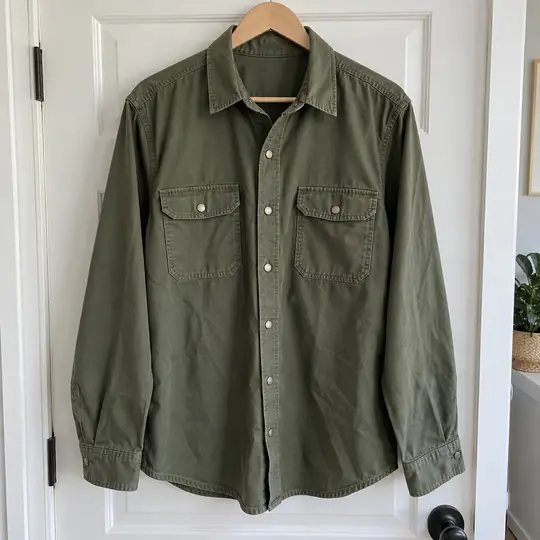
Your photo
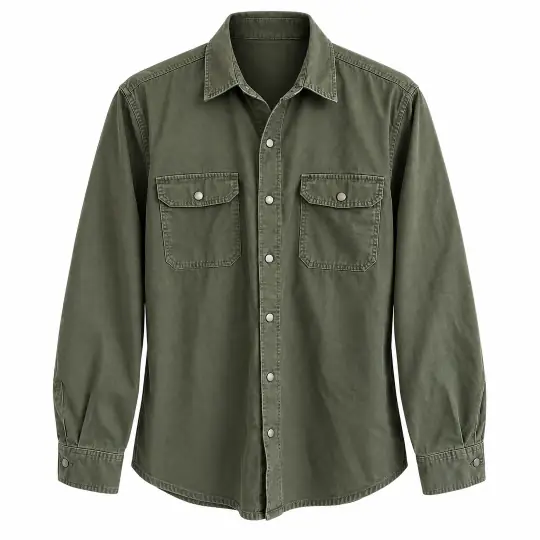
Front
Three-quarter
Made in the A Pose Studio app from the one photo on the left, 5 credits per angle. A back view is also available.
How it works
Three steps
- Add garment photosUpload photos of the garment. A back photo helps; without one, the back is imagined from the front.
- Choose anglesPick front, three-quarter, back or all three.
- SaveImages come on white. Later you can save a transparent or light grey version.
What it costs
Per angle, not per shoot
5 credits per angle
- Example: all three angles of one garment is 15 credits.
- Added angles later keep the same garment, so the set matches.
- Transparent and grey versions are made when you ask for them at download.
Introductory prices today. Credits never expire. See the packs.
Good to know
Before you start
- For clothing only, not bags, shoes or jewellery.
- The garment's own prints and text are kept. Check the image against your photo before you list.
- Things worn with it, like an undershirt or a dupatta, are left out.
- Side views are not offered, to avoid stray bits of front and back prints.
Questions
Ghost mannequin FAQ
What is a ghost mannequin photo?
An image of a garment alone, shaped as if worn on an invisible body. Marketplaces and stores use it for a clean, consistent look.
Do I need a photo of the back?
It helps. If you don't have one, the back view is imagined from the front, so check it before you list.
Can I get a transparent background?
Yes. Images are made on white, and you can save a transparent or light grey version when you download.
Which products work?
Clothing only. For bags, shoes and accessories, use an on-model photo or a flat-lay.
More from A Pose Studio
Keep going
Every feature works on the same shoots and the same credits.