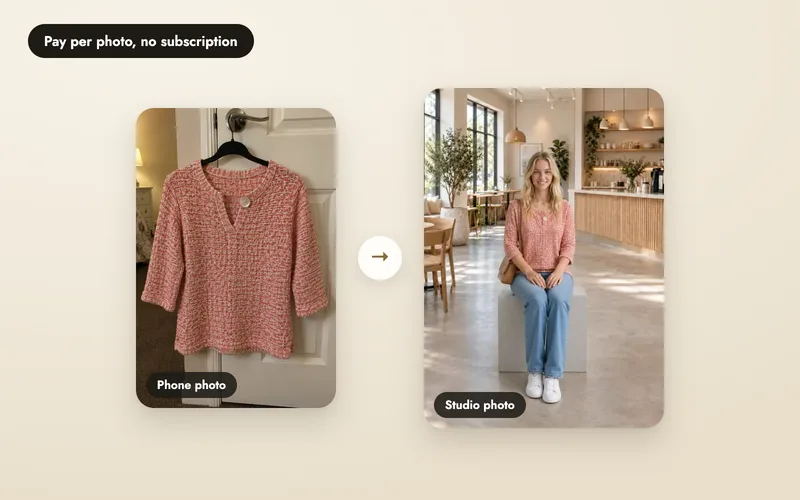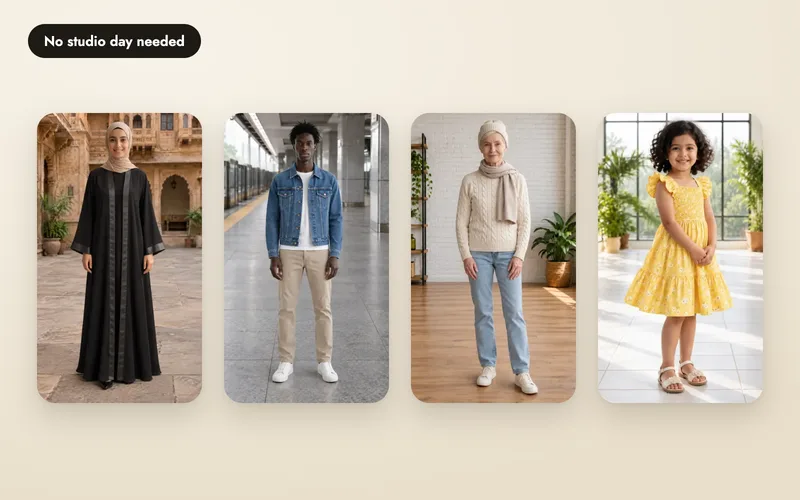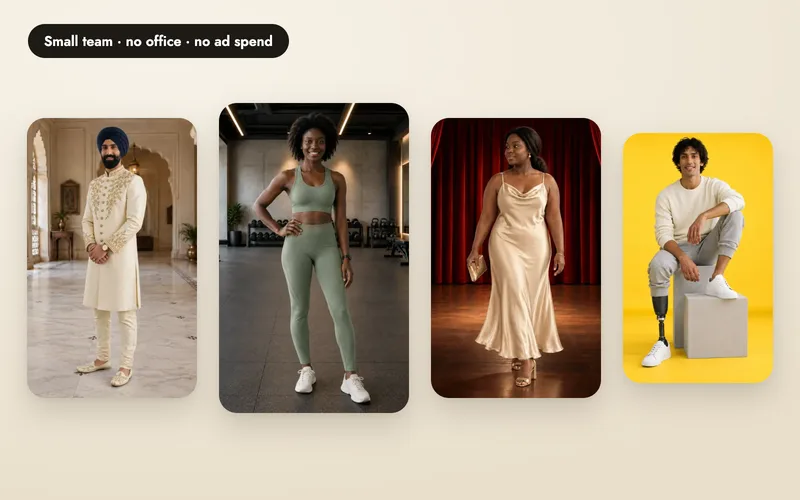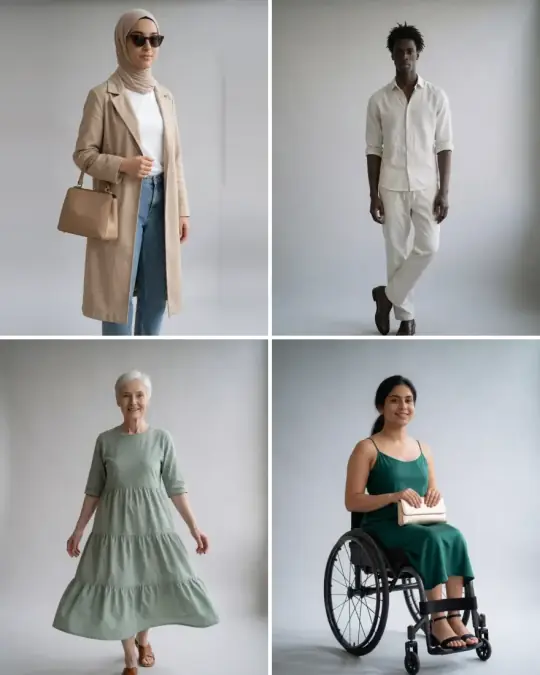
The right tool lets you start from a phone photo taken at home, shows your product on people who look like your customers, and tells you the price before you spend. Use these questions on any tool, ours included.
This is written by A Pose Studio, so we're not neutral. But every question below applies to any AI product-photo tool, and we've tried to answer them plainly rather than only where we look good.
What to check before you pay
- Output fit to your product's details. Does the result keep prints, stitching, hardware and proportions close to the real product, or does it drift into something generic? Ask to see a sample on a product similar to yours before buying credits.
- Model consistency and range. Does the same named model look like the same person across poses and scenes? Is there more than one model, for different genders or looks?
- Pose and scene control. Can you pick from a catalogue, search by product type, and see a scene before you commit credits to it, or is it one click and hope?
- Custom poses. If the catalogue doesn't have the exact pose you want, can you describe one, and does that cost extra?
- Retries and versions. If an image comes out wrong, can you retry it with a note on what to change? Are older versions kept, or does a retry overwrite the original?
- Pricing model. One-time credit packs, or a subscription you have to keep paying to keep using what you made? Neither is automatically better, but they suit different order patterns.
- Credit expiry. Do unused credits carry over indefinitely, expire each billing cycle, or lapse after a fixed number of days or months?
- Cost per usable image, including retries. A low headline price means less if every third image needs a paid retry to be usable. Ask what a retry costs.
- Download sizes and aspect ratios. Do you get the shapes you actually need for your listings and social posts, or just one fixed size?
- Commercial rights. Are you free to use the images to sell the product, on any marketplace or channel, without a separate licence fee?
- Team approval and sharing. Can someone who isn't a user of the tool, a client or a colleague, review images and ask for changes?
- A phone app. If you work from your phone as much as a laptop, does the tool have one, and does it do the same things?
- Support. When a photo needs changing, can you make it again with a note on what to fix, and can you reach a real person when you need help?
Checklist table
Copy this into a spreadsheet with a column per tool you're trying.
| Check | Why it matters | Ask before you pay |
|---|---|---|
| Output fit to product details | A generic-looking result you have to reject wastes the credits you paid for it | "Can I see a sample on a product like mine first?" |
| Model consistency and range | A model who looks different pose to pose breaks the catalogue's consistency | "Is this the same model in every pose, and is there more than one to choose from?" |
| Pose and scene control | Random poses waste credits on shots that don't suit the product | "Can I search or browse poses before I pick one?" |
| Custom poses | A closed catalogue limits what you can ever show | "Can I describe my own pose, and does it cost more?" |
| Retries and versions | Without retries, one bad image is money gone | "What does a retry cost, and is the original kept?" |
| Pricing model | A subscription you cancel can take your unused balance with it | "What happens to my credits if I stop paying?" |
| Credit expiry | Expiring credits punish an irregular buying pattern | "Do credits expire, and when?" |
| Cost per usable image | The only number that is actually comparable between tools | "What's the total cost, divided by images I'd actually use, including retries?" |
| Download sizes and aspect ratios | The wrong shape means cropping or re-exporting elsewhere | "What sizes and aspect ratios can I download?" |
| Commercial rights | Some tools license images for limited use only | "Can I use this to sell the product anywhere?" |
| Team approval and sharing | Without it, approvals happen over screenshots and messages | "Can I send a client a link to approve or reject images?" |
| Phone app | Matters if you work from a phone as much as a desktop | "Is there a phone app, and does it do the same things?" |
| Support | Decides how quickly you get help when you need it | "Can I make a photo again with a note, and how do I reach a person?" |
How A Pose Studio answers each point
- Output fit to product details. A Pose Studio reads your product photo and suggests the type, colour and details before generating anything, and optional back and detail photos help keep prints and hardware accurate. See real before/after photos on the examples pages.
- Model consistency and range. A Pose Studio's models keep their appearance across poses and scenes. There are 40+ models, from age 7 to 60+, across skin tones and body types, all at the same price per product photo.
- Pose and scene control. Poses and scenes are browsable and searchable, tagged by product type, with suggestions for what you uploaded. See choosing a model, poses and scenes.
- Custom poses. Describe a pose or scene in words at no extra cost, or make a reusable private photo of one for 5 credits, or share it with other sellers for free (up to 5 a day). See describing a pose or scene and private references.
- Retries and versions. A retry costs 5 credits, the same as a new image, and every version stays in history so you can compare and pick the preferred one. See retrying images.
- Pricing model. One-time credit packs (₹149 for 50$5 for 50 up to ₹4,799 for 2000$140 for 2000), no subscription. These are introductory prices; see the note below.
- Credit expiry. Credits don't expire while your account is open.
- Cost per usable image. 5 credits per image, shown before you confirm, with credits returned automatically if an image fails. See the worked example in how the cost works.
- Download sizes and aspect ratios. 5 shapes including square 1:1 and portrait 3:4 and 4:5, as JPEG, PNG or WebP, up to 24 images at once, free, each a crop around the model rather than bars, plus each marketplace's own shape for the sites you sell on. See downloading photos.
- Commercial rights. Commercial use of your photos is included in every pack.
- Team approval and sharing. A private link lets a client or colleague approve or request changes on each image, no account needed. See sharing for approval.
- Phone app. The A Pose Studio phone app works from the same account as the website.
- Support. Email hello@aaina.world. If an image fails to create, its credits come back automatically, and any image can be made again with a note on what to change.
Two things A Pose Studio doesn't currently offer: a developer API, and 4K output (the largest download is 2000 × 2500). If either is a requirement, say so on the vendor's pricing page before you buy.
These are introductory prices. We will announce any change in advance, and credits you have already bought keep their value and never expire.
Questions
Do I have to commit to a subscription to try an AI product-photo tool?
Not always. Some tools, including A Pose Studio, sell one-time credit packs with no recurring charge. Others require a monthly or yearly plan before you can generate a single image. Check this before you compare prices: a $19-a-month plan and a $19 one-time pack are not the same commitment.
What counts as a “usable” image when I work out cost per photo?
Only an image you'd actually put on a listing. If a tool's images often need a retry to fix a pose, a proportion or a missed detail, divide the plan price by usable images, not by every image the credits technically bought. A tool that returns credits for failed images, and charges the same for a retry as a first attempt, makes this easy to work out; ask how each tool handles both.
Can more than one person review the photos before they go live?
Depends on the tool. Some are single-user; others let you send a link to a client or a teammate so they can approve or ask for changes without logging in. If approvals are part of your workflow, ask specifically, since it's easy to miss on a pricing page.
Take a phone photo at home, say a top on a hanger on a door, and see it on one of 40+ models in your own choice of pose and scene. Introductory prices and 25 free credits to start. Explore the models and features.
Start free with 25 credits