Use a template
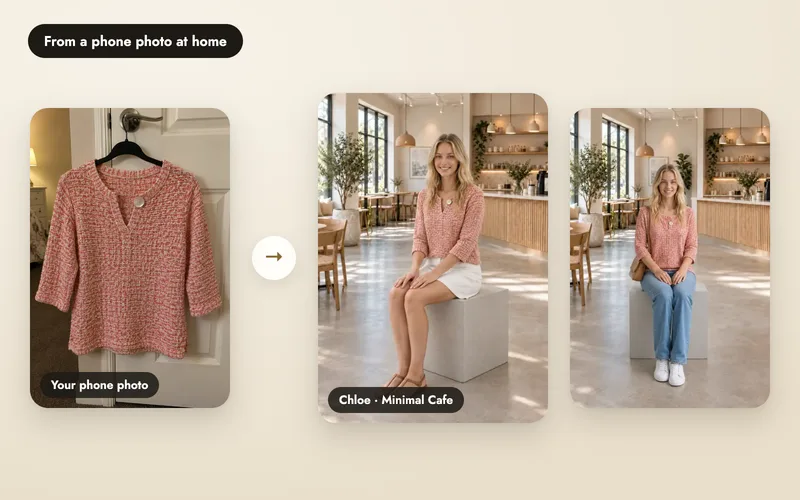
Open Templates. Filter by your product type, or sort by Popular or New. Each template shows its sample photos and its price in credits. Choose one, add the photos it asks for, usually your product, and press make. The photo lands in Shoots.

Your collection colour story

Floating luxury display

Weekend terrain menswear
Samples from A Pose Studio's own templates, made in the app.
Make your own
Press Make a template, or Save as template on a shoot you like. Four short steps:
- The look. Name it, choose a studio model (or no person) and a studio scene, and write the idea. Only you see the idea.
- What people add. Up to four photo boxes, such as Your product or Your model, and up to six short text answers. A private reference photo, such as a pattern, is used to make each photo but never shown to the people using your template.
- Make your sample. Make sample photos with your own pictures and choose which are shown; the first is the cover.
- Publish. Check Before you publish and press Publish, or keep the template private to reuse yourself.
Publish it
A short automatic check looks at the idea, the words and the samples before a template goes live, for example for nudity, children, famous people or copying another brand. Lettering and logos on your own product are fine. If it is turned down, change it and send it again. Live templates get their own link, show in Templates and Explore, and on your Looks page.
Coins
Each time another seller makes a photo with your template, you earn coins. They wait a few days after the photo is made, then you can turn them into credits on the Coins page. Templates, Mine shows how often each template was used and saved, and what it earned.
- A use never earns coins worth more than half of what it cost.
- Your own uses don't earn coins, each person counts once per template per day, and there is a daily limit for each creator.
- If someone used free welcome credits, the coins arrive once they buy credits. If a photo fails or a purchase is refunded, the coins are taken back.
- Coins turn into credits, not cash.