Brand plan · Bring your own key
Your OpenAI key. Your team's product photos.
On A Pose Studio's Brand plan, your brand connects its own OpenAI API key. Product photos on models, ghost mannequins, flat-lays, edits, product readings and listings run on your OpenAI account, and OpenAI bills you directly at its own prices. A Pose Studio charges ₹499US$11 a seat a month and takes no credits for work on your key.
How it works
How does bring your own key work? Four steps.
- Choose the Brand planCreate a brand and pick the Brand plan, priced per seat. Every member is a seat, and you need at least one.
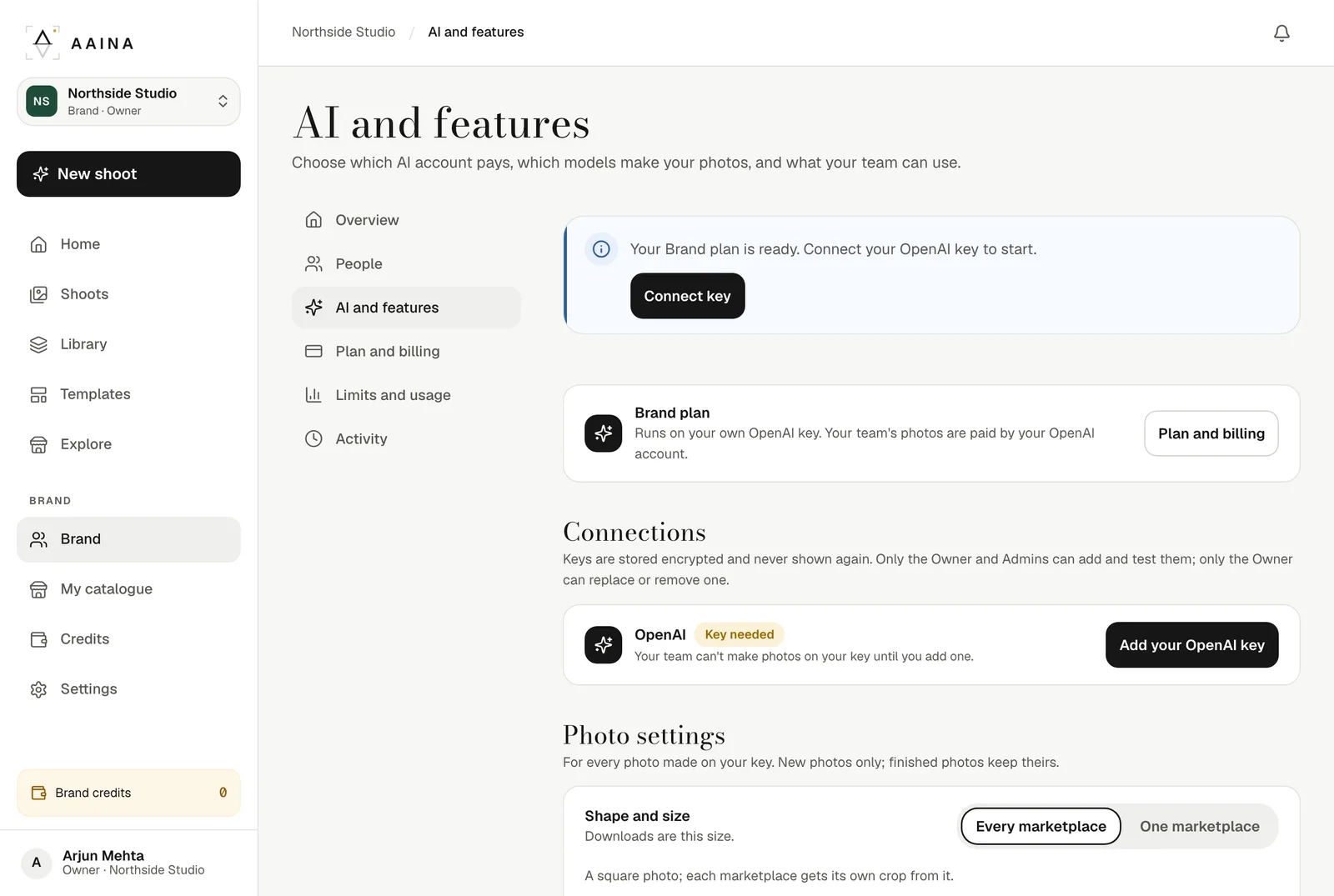
- Add your OpenAI keyThe Owner or an Admin pastes an OpenAI API key. A Pose Studio tests it for free: it checks which OpenAI models the key can use and runs one free safety check to confirm the account has funds. It makes no photos. A key already used by another brand is refused. Use a key made just for A Pose Studio, in your company's own OpenAI account, with a monthly spending limit set in OpenAI: you can turn it off at any time without touching anything else.
- Choose what runs whereFor each feature, pick your key, brand credits or off, and the OpenAI model it uses. Set the photo size and quality once for the brand.
- Your team makes photosEveryone works as usual. OpenAI bills your account for what the key makes; A Pose Studio takes no credits for it.
Per feature
What runs on your key? Almost everything.
Each feature can run on your key, on brand credits, or be switched off. These are the choices the app gives you.
Your OpenAI key
- Photos on a model, including Make again and group photos
- Ghost mannequin
- Flat-lays
- Detail views
- Fix something and Other colours
- Your own poses, scenes and models
- White or grey background (beta)
- Product reading and suggestions
- Listing writer
- Safety checks
Brand credits
These can't run on an OpenAI key yet.
- Product videos
- Sending only the item from a worn photo
- Photo editor AI tools
- Design templates
Off on the Brand plan
- Try on me
What it costs
Two bills, no markup.
A Pose Studio: ₹499US$11 for each seat, every month, tax included. Every member is a seat, Reviewers too, and a brand needs at least one.
OpenAI: your own account pays for what the key makes, at OpenAI's published prices. OpenAI prices its newest image models by the token rather than by the photo: US$30 per million image output tokens on its standard tier (read on 15 October 2026). Bigger photos and High quality use more tokens. OpenAI's pricing page has the current figures.
Prefer not to manage an OpenAI account? The Pro and Business plans include credits instead. Compare the plans.
Brand plan or a credits plan?
Side by side
| Pro and Business | Brand plan | |
|---|---|---|
| Who pays for the AI | A Pose Studio credits, from the plan or a pack | Your OpenAI account, at OpenAI's prices |
| What A Pose Studio charges | A monthly plan with credits included | A flat price for each seat |
| Photo size | Square master, every marketplace shape | Square 1536, 1920, 2880 pixels |
| Choose the AI model | A Pose Studio chooses | You choose, per feature |
| Product videos | Yes, on credits | Yes, on brand credits |
| Team roles and limits | Yes | Yes, and limits count photos on your key |
Photo size and quality
Bigger photos, your call.
Set it once for the brand. The cost of a bigger or higher-quality photo is on your OpenAI bill, never in A Pose Studio credits.
1536 × 1536
Standard. The fastest and lowest cost on your OpenAI bill.
1920 × 1920
Large. Big enough for marketplace zoom. Recommended.
2880 × 2880
Extra large, experimental. The most detail; slower and the highest cost, and OpenAI says it can have flaws.
Standard or High
High is the default and shows more fabric detail; it costs more on your OpenAI bill.
Security
Is my OpenAI key safe? Here is what we do.
Encrypted at rest
Your key is sealed with AES-256-GCM and tied to your brand. After saving, only its last four characters are shown.
The Owner stays in charge
The Owner and Admins can add and test a key. Only the Owner can replace or remove it, and the Owner is told when an Admin changes it.
Never a silent fallback
While a job runs on your key, A Pose Studio's own AI accounts are blocked for it. If your key fails, the photo stops; nothing is charged by A Pose Studio.
Told when something breaks
When a working key starts failing, the Owner and Admins get one alert by bell and email, and the AI page shows what to fix.
Every change on record
Adding, replacing or removing a key, failed attempts and feature changes are all in the brand's activity log.
Guarded against abuse
Adding a key is limited per brand and per person, and locked for a day after repeated failures.
For the whole team
One key, every person in the brand.
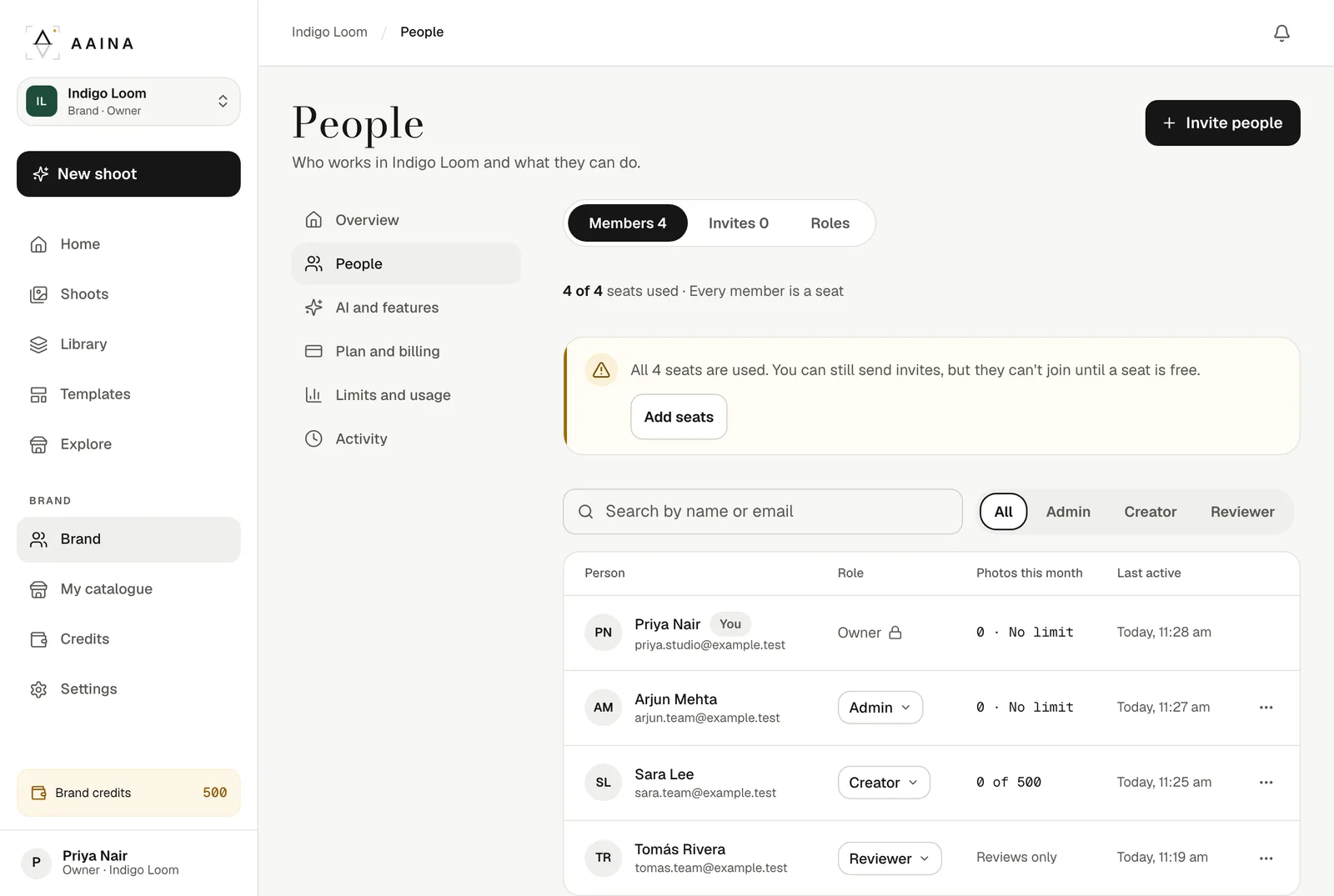
Owners, Admins, Creators and Reviewers all work in the same brand on the same key. Give each Creator a monthly credit limit for whatever still runs on brand credits; photos made on your key use no credits. Creators see "Paid by" your brand instead of your OpenAI bill, and every key change is in the activity log.
- Roles for each person
- Monthly credit limits for Creators
- Activity log for the Owner and Admins
Questions
Your own OpenAI key, FAQ
Can I use my own OpenAI key for product photos?
Yes. On A Pose Studio's Brand plan your brand connects its own OpenAI API key. Photos on models, ghost mannequins, flat-lays, detail views, edits, product readings and listings then run on your OpenAI account, and OpenAI bills you directly.
Does A Pose Studio add a markup to my OpenAI costs?
No. Work on your key is billed by OpenAI to your account at OpenAI's own prices. A Pose Studio charges a flat price for each seat on the Brand plan and takes no credits for work that runs on your key.
Which OpenAI key should I use?
A key made just for A Pose Studio, in your company's own OpenAI account (a separate project key works well). Set a monthly spending limit for it in OpenAI, so you always know the most it can cost, and you can switch it off at any time without affecting anything else that uses OpenAI. Your OpenAI account and its bill stay yours; use it as OpenAI's terms allow for your business.
Is my OpenAI key safe?
Your key is stored encrypted and only its last four characters are ever shown again. The Owner and Admins can add and test a key; only the Owner can replace or remove it. Every change is written to the brand's activity log.
What happens if my key stops working or runs out of money?
The photo stops and nothing is charged by A Pose Studio. A Pose Studio never switches to its own AI accounts behind your back. The message says why (the key was refused, the account has no credit left, OpenAI is busy, or a model is not available), and the Owner and Admins get one alert by bell and email.
Which features can't run on my key?
Product videos, sending only the item from a worn photo, photo editor AI tools, design templates run on brand credits instead, and Try on me is off on the Brand plan. Every other feature can run on your key, and you can switch any feature to brand credits or off.
Can I choose the OpenAI model and photo size?
Yes. For each feature you choose from the OpenAI models your key can use. Photos can be made square at 1536, 1920, 2880 pixels (1920 is recommended; 2880 is experimental) in Standard or High quality.
Does it work for my whole team?
Yes. Everyone in the brand makes photos on the same key, with their own role (Owner, Admin, Creator or Reviewer) and an optional monthly credit limit for each Creator. Creators see "Paid by" your brand, not your OpenAI bill.
Your key, your studio.
Start free with 25 credits, then move your brand to the Brand plan when you're ready.
Start free