Start the Brand plan
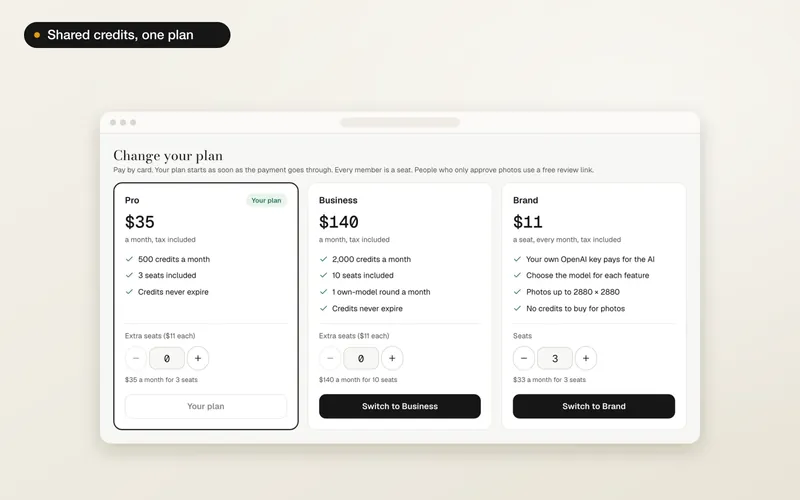
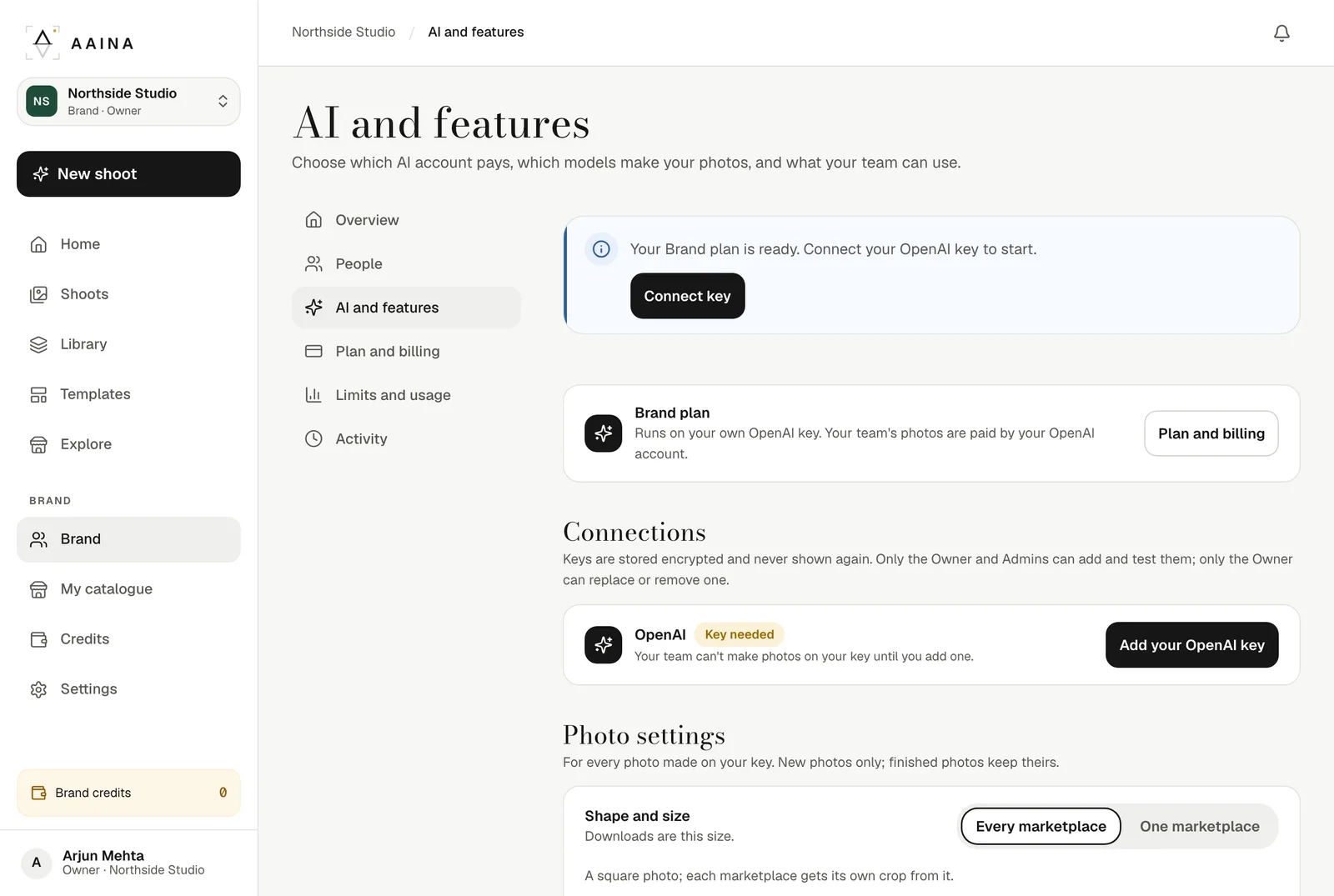
The Brand plan is ₹499US$11 a seat a month, at least one seat. The Owner chooses it on Plan and billing. Once it starts, AI and features says your Brand plan is ready and asks you to connect a key.
Connect your key
In your OpenAI dashboard, make a key under API keys. Back in A Pose Studio, press Add your OpenAI key, paste it, and add your organisation and project IDs if you use them. Press Test and save key.
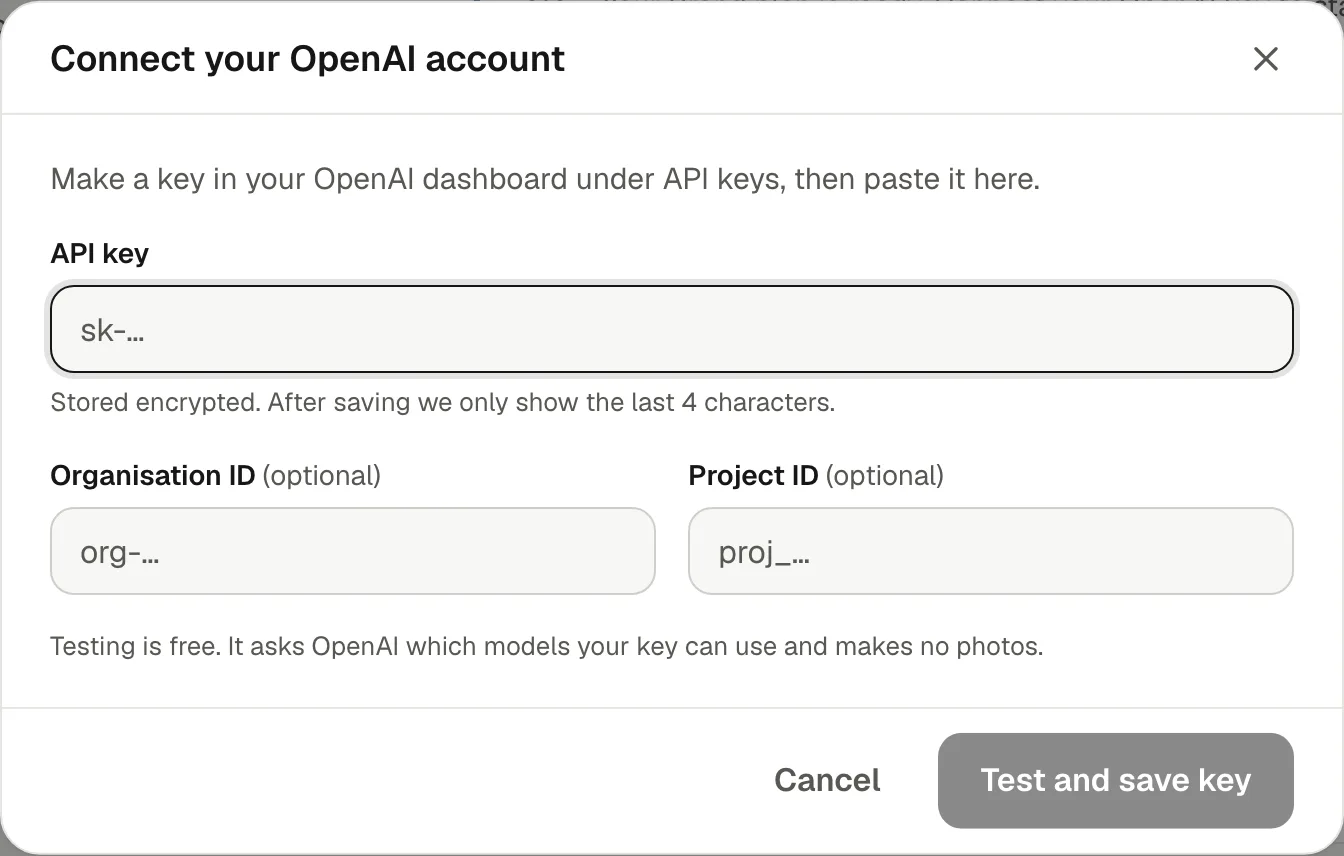
- The test is free: it checks which OpenAI models the key can use and runs one free safety check to confirm the account has funds. It makes no photos. A key already used by another brand is refused.
- It checks that the key is accepted, the organisation is verified, the photo and reading models are available, there is money on the account and the key is used only here.
- If a check fails, the key isn't saved and the app says which check failed and what to do.
Choose where each feature runs
Under Features, set each one to run on Your OpenAI key, on Brand credits, or Off. By default photos on a model, ghost mannequin, flat-lays, detail views, Fix something and Other colours, your own poses, scenes and models, white or grey backgrounds, product reading and Write listing run on your key. Product videos and a few extras stay on brand credits, and safety checks are always on.
Product videos can't run on an OpenAI key yet, so they use brand credits. Turn them off if you don't want any credit spend.
Photo size and quality
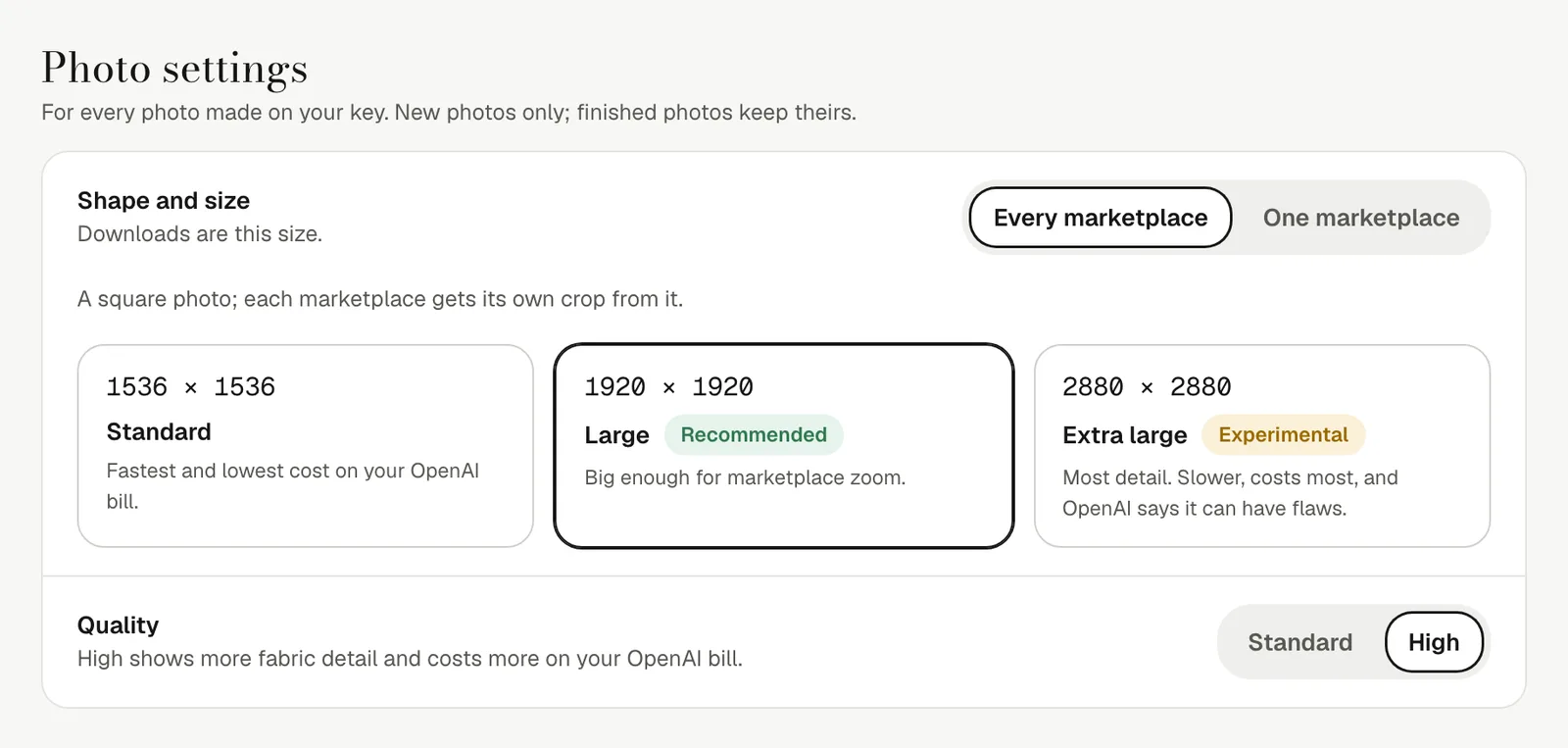
Photo settings apply to every photo made on your key. Choose one square photo for every marketplace, at 1536 × 1536, 1920 × 1920 or 2880 × 2880 (the middle size is recommended), or one marketplace's exact size. Quality is Standard or High; High shows more fabric detail and costs more on your OpenAI bill.
Safety and your key
- Your key is stored encrypted. After saving, only its last four characters are shown, to anyone.
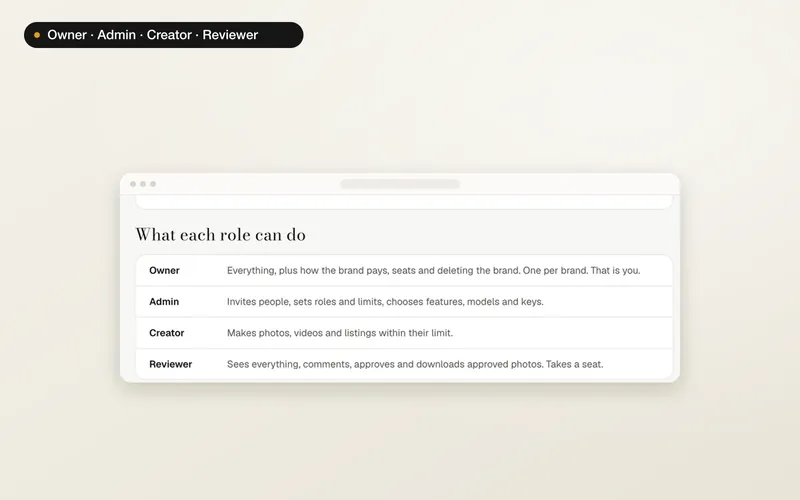
- The Owner and Admins can add and test a key; only the Owner can replace or remove it. Every change is in the activity log.
- If the key stops working, or runs out of money, photos on the key pause with a plain reason and nothing is charged. Admins get one email and one bell message.
- Work on your key never falls back to our accounts or your credits without your say.
Brands, plans and the activity log are on the website for now. The A Pose Studio phone app keeps working with your personal studio.