Owner
Everything, plus how the brand pays, seats, handing the brand over and deleting it. One per brand.
- Choose the plan and seats
- Buy credits and see invoices
- Replace or remove the OpenAI key
- Hand the brand to an Admin
Introductory pricesIntro prices from ₹12US$0.35 per product photo. Start with 25 free credits.a photo · See pricing
For brands and teams
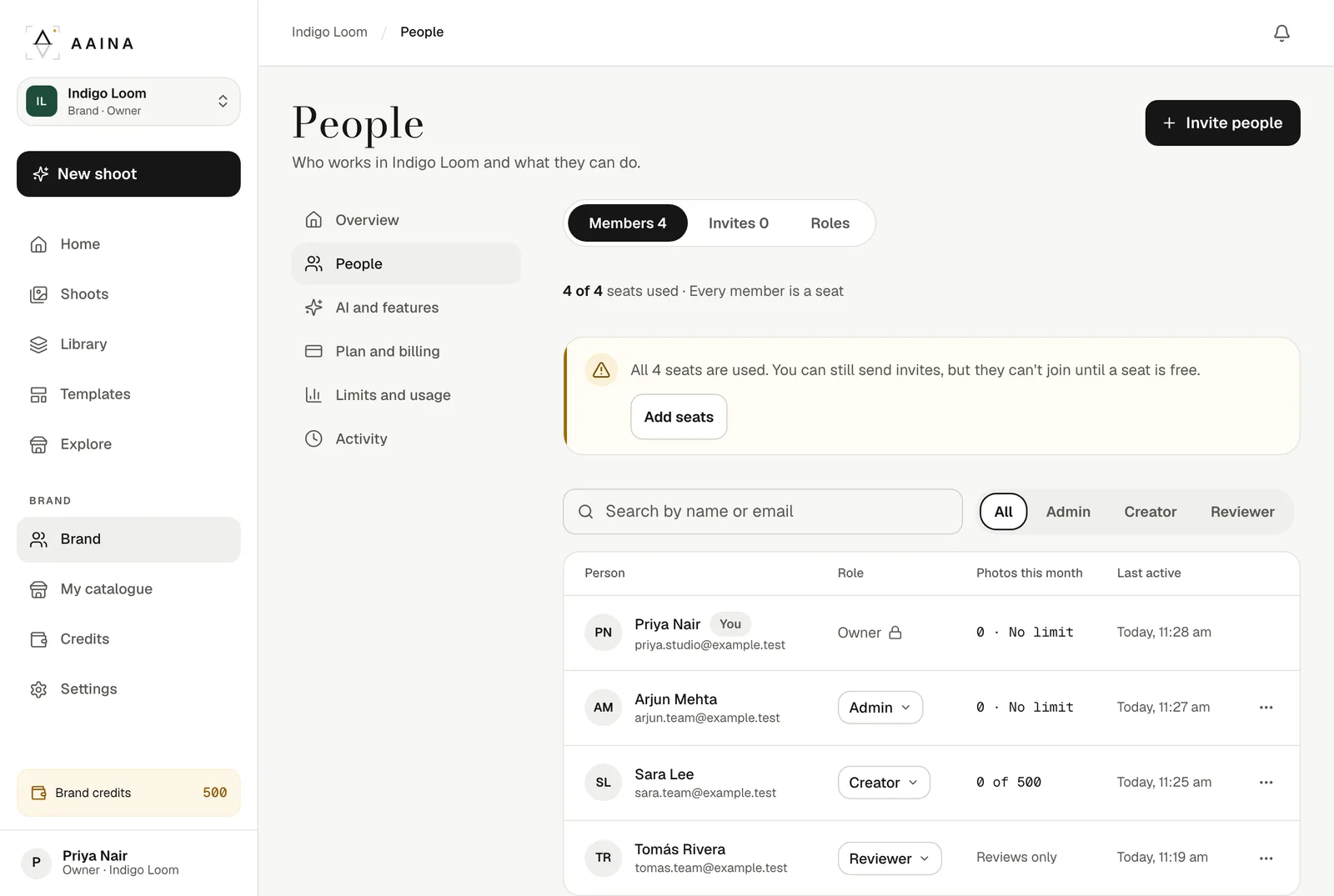
Create a brand and invite the people who make your photos. Everyone works with the same products, models and credits, each person has the right role, and you can see who made what. Your own personal studio stays exactly as it is.

What a brand gives you
Each person signs in with their own account and switches into the brand. Everything made there belongs to the brand.
Plan a team shoot
An illustrative seat budget: one Owner, one Admin, one Creator and one Reviewer make 4 seats. Pro includes 3 for ₹1,199US$35 a month; the extra seat adds ₹499US$11, making ₹1,698US$46 a month. This is a worked budget, not customer spending. Using an external review link instead of inviting a Reviewer can keep this team within Pro’s included seats.
Use a brand when people need shared products and ongoing access. Use a review link when someone only needs to approve a shoot. Photos made in a brand belong to that brand; personal studio work stays separate.
Roles
Every member is a seat. Clients who only need to approve photos can use a free review link, with no account and no seat.
Everything, plus how the brand pays, seats, handing the brand over and deleting it. One per brand.
Runs the team: invites people, sets roles and credit limits, and chooses features, models and what the team sees.
Makes photos, videos and listings for the brand, within their monthly credit limit.
Sees everything the team makes and downloads photos, without making anything. Takes a seat.
| Who can | Owner | Admin | Creator | Reviewer |
|---|---|---|---|---|
| Make photos, videos and listings | Yes | Yes | Yes | No |
| See every shoot and photo in the brand | Yes | Yes | Yes | Yes |
| Invite people, set roles and credit limits | Yes | Yes | No | No |
| Choose features, models and what the team sees | Yes | Yes | No | No |
| Brand name, colour, logo and public catalogue | Yes | Yes | No | No |
| See credits, costs and invoices | Yes | Yes | If shown | No |
| Add and test an OpenAI key | Yes | Yes | No | No |
| Replace or remove the OpenAI key | Yes | No | No | No |
| Plan, seats, top-ups, hand-over and delete | Yes | No | No | No |
Your studio and your brands
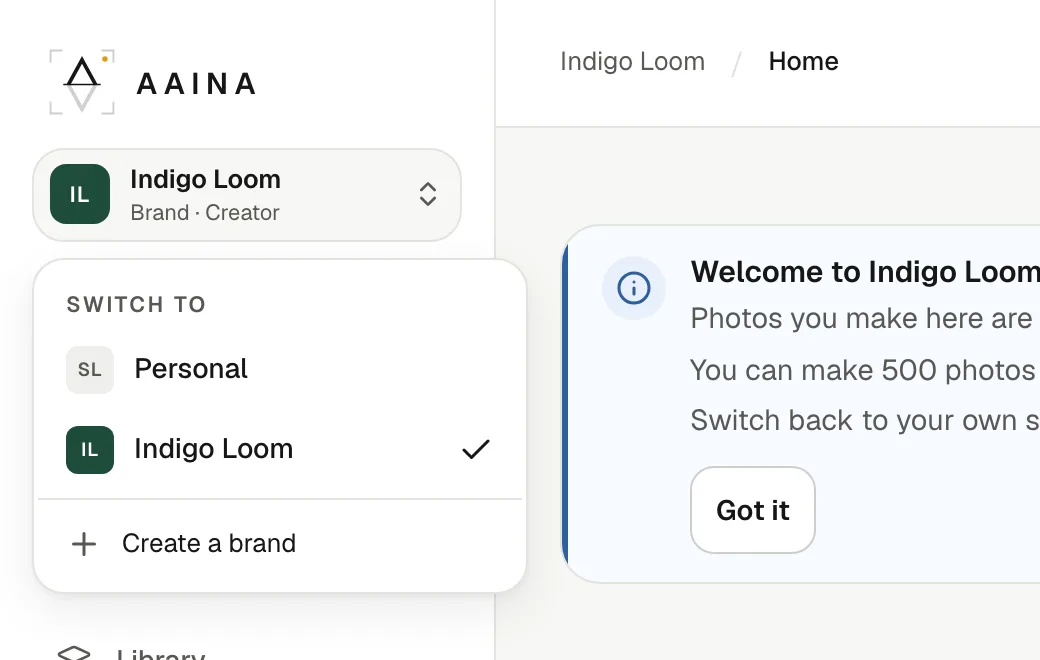
The menu at the top of the sidebar lists your personal studio and every brand you belong to, with your role in each. Credits, shoots and products never mix: what you make inside a brand belongs to the brand.
Money and limits
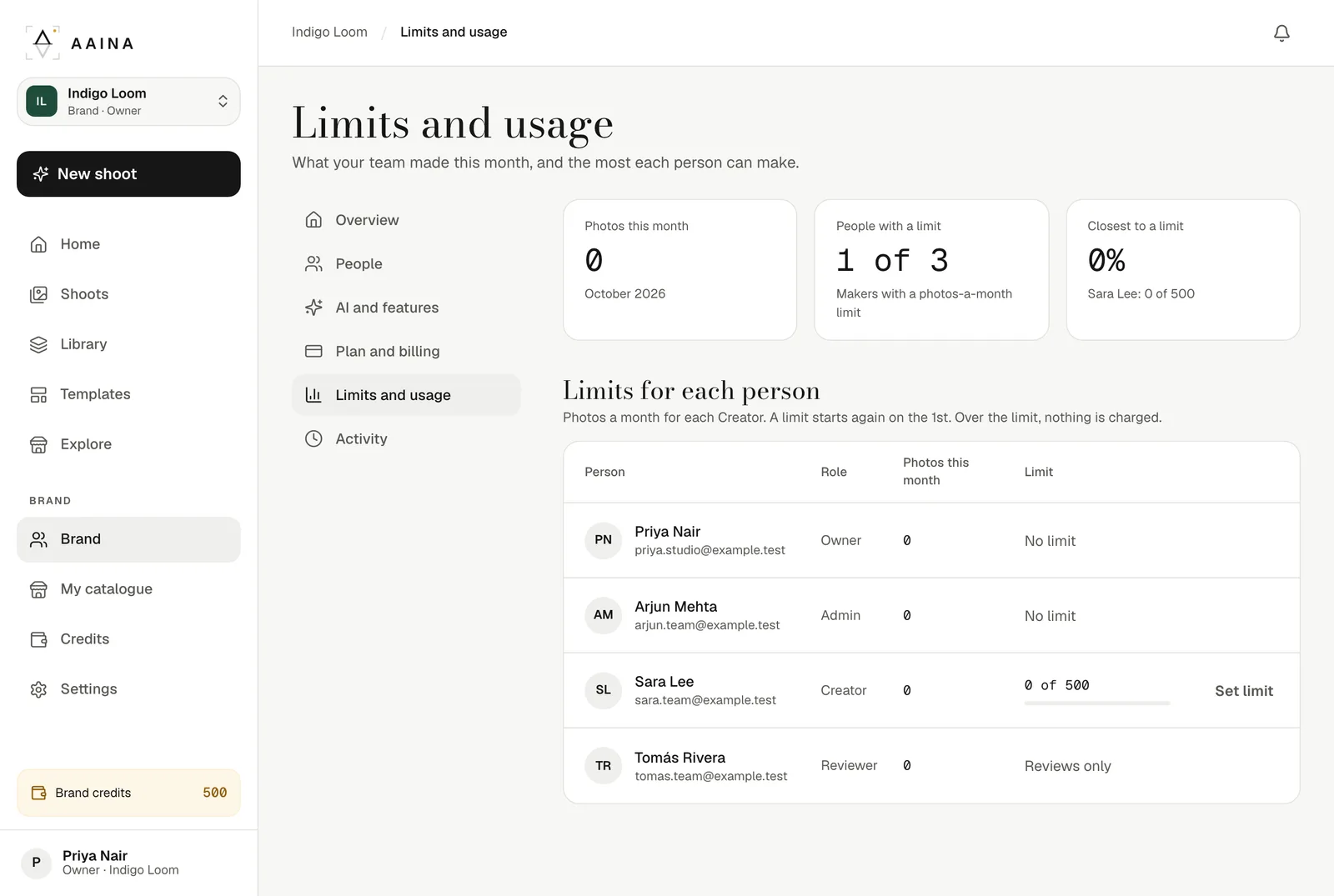
Only the Owner buys and manages the plan. Admins set a monthly credit limit for each Creator, and Creators see "Paid by" your brand instead of prices unless you choose to show them.
Brand plan
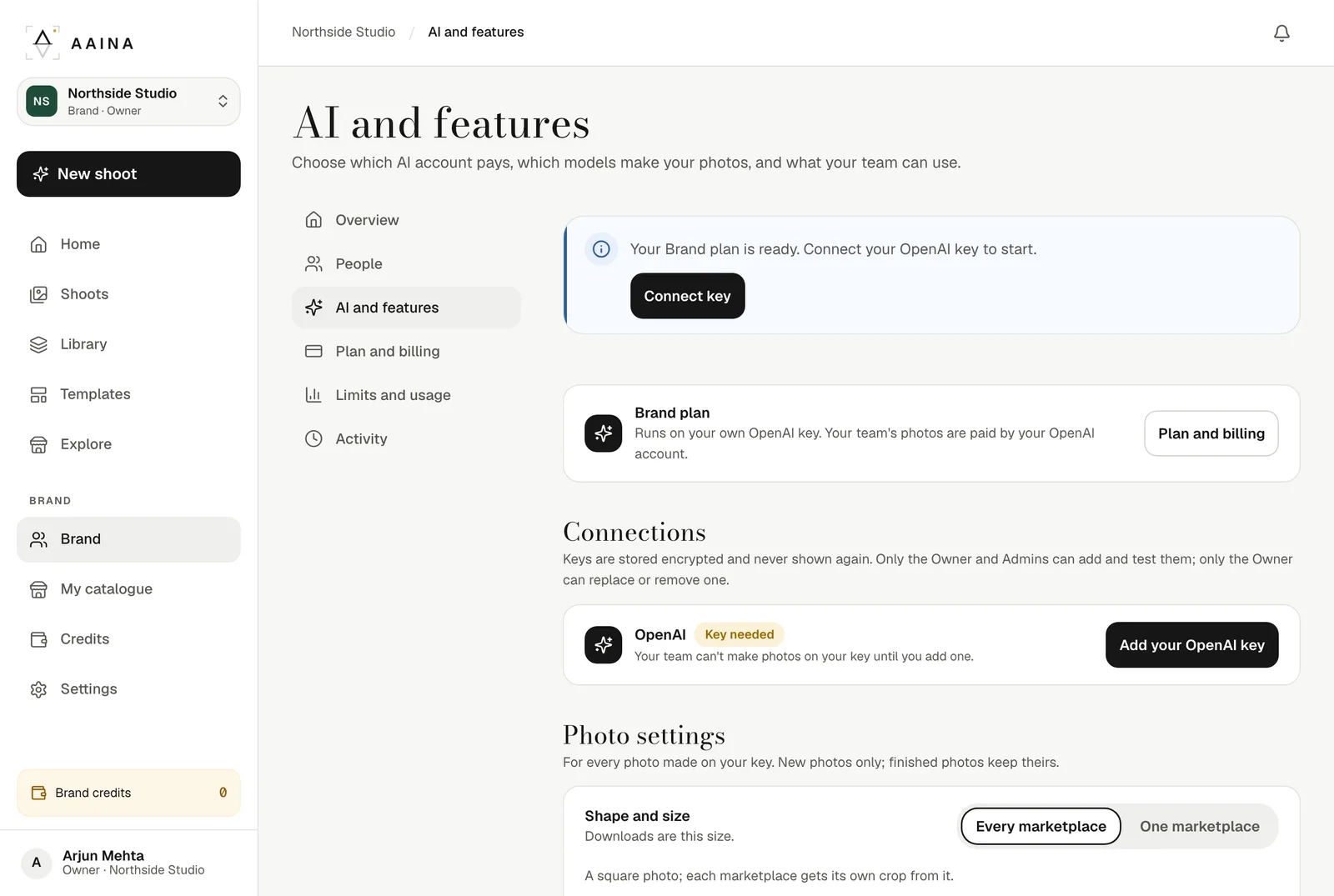
On the Brand plan, photos, edits, product readings and listings run on your brand's own OpenAI account, and OpenAI bills you directly. You choose, feature by feature, what runs on your key, on brand credits, or not at all, and the photo size and quality.
Hand-over
Selling the business or changing who runs it? The Owner can hand the brand to one of its Admins and becomes an Admin. A plan paid with the old Owner's card stops renewing and lasts until the end of the paid month; then the new Owner starts their own.
Plans
Credits never expire. When a plan ends, the brand keeps its credits and everyone keeps their place, but only the Owner can make photos. The team can still open the brand, see its shoots and save photos. Start a plan again and the whole team can make photos. Extra seats on Pro and Business are ₹499US$11 each a month. Taxes included.
For a small team that makes photos every week.
₹1,199US$35a month ₹12US$0.35 a photo · taxes included 500 credits a monthFor a growing brand with a bigger catalogue.
₹4,799US$140a month ₹12US$0.35 a photo · taxes included 2,000 credits a monthFor brands that pay OpenAI directly with their own key.
₹499US$11a seat, a month Taxes included No credits needed for photosGuides
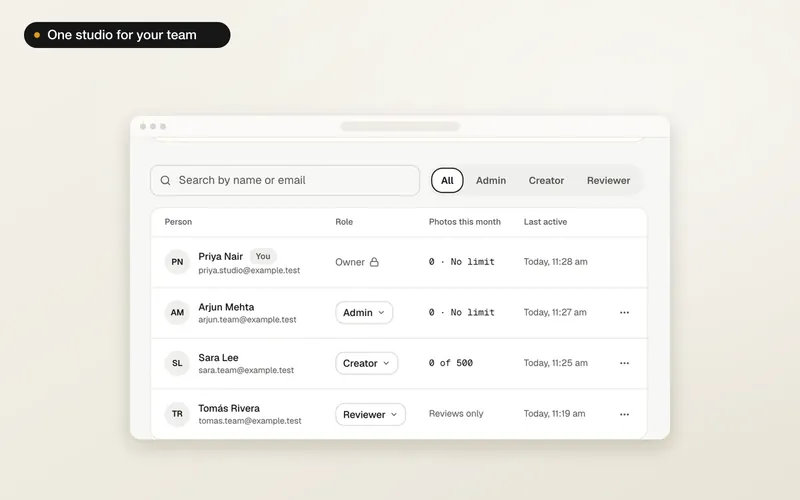
A shared studio for your team: name it, choose how it pays, and invite people by email.
4 min read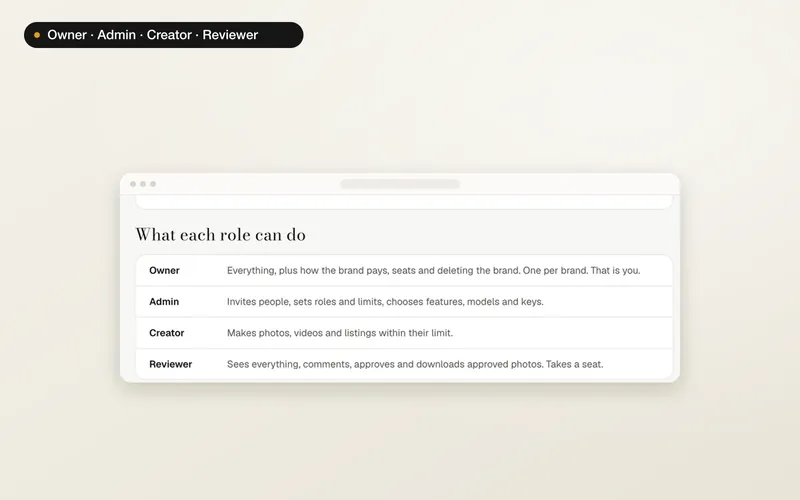
Exactly who can make photos, see money, change settings and manage the plan.
3 min read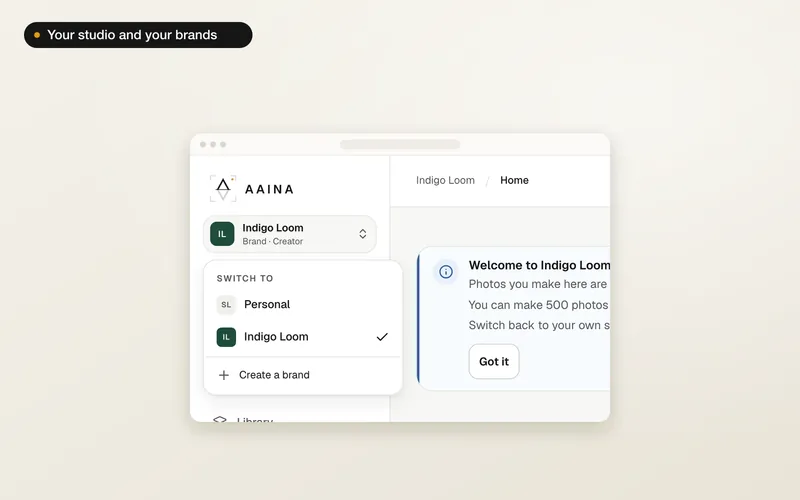
One menu moves you between your personal studio and your brands. What stays separate.
2 min read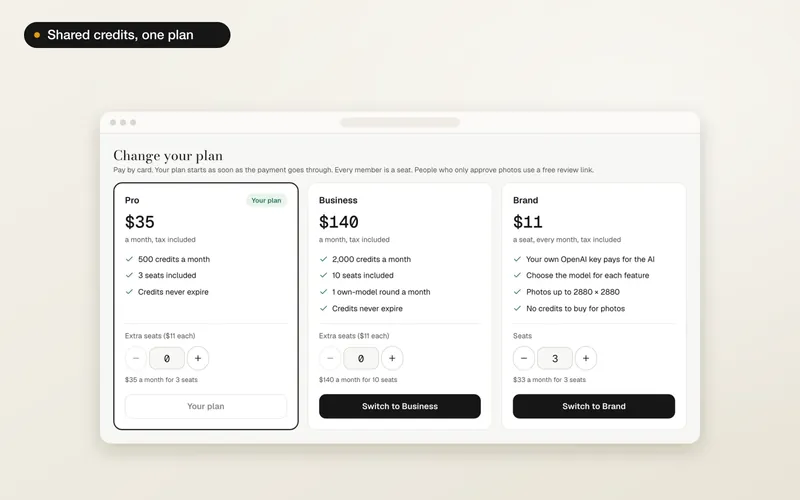
Choose a plan, add seats, upgrade, set credit limits, buy a top-up or cancel.
4 min read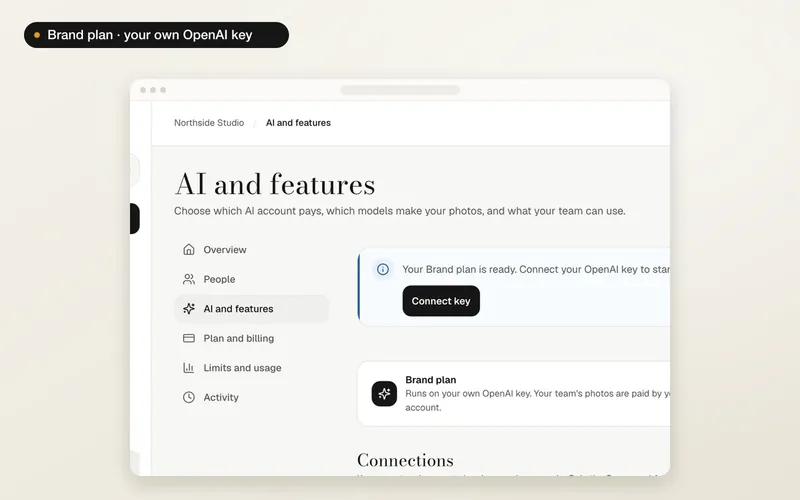
On the Brand plan: connect your key, choose what runs on it, and set photo size and quality.
4 min read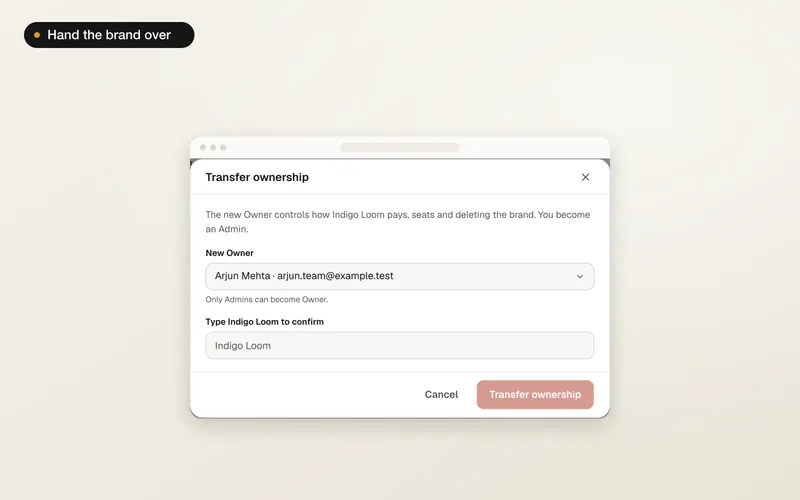
Pass the brand to one of its Admins. What happens to the plan and everything the team made.
2 min readQuestions
A brand is a shared studio for your team. It has its own products, shoots, photos, models, poses, scenes and credits, separate from your personal studio. Everyone you invite works in the same place, and each photo shows who made it.
No. Your personal studio stays as it is, with its own credits and shoots. You switch between it and any brand you belong to from the menu at the top of the sidebar. People you invite keep their own personal studio too.
An Owner or Admin invites people by email, up to 20 at once, as an Admin, Creator or Reviewer. Each person gets a link that lasts seven days and works only for the email address it was sent to. If every seat is taken, the invite waits until a seat is free.
Only if you want them to. By default Creators see "Paid by" your brand instead of prices and balances. An Admin can turn on "Show credits and prices to Creators" at any time. The Owner and Admins always see credits and costs.
An Admin can give each Creator a number of credits a month, for example 250, 500 or 1,000, or no limit. It covers everything they make in the brand on brand credits: photos, edits, videos, listings and more (a photo is usually 5 credits). Photos made on the brand's own OpenAI key use no credits. The count starts again on the 1st of each month. When someone reaches their limit, nothing is made and nothing is charged until an Admin raises it or the month ends.
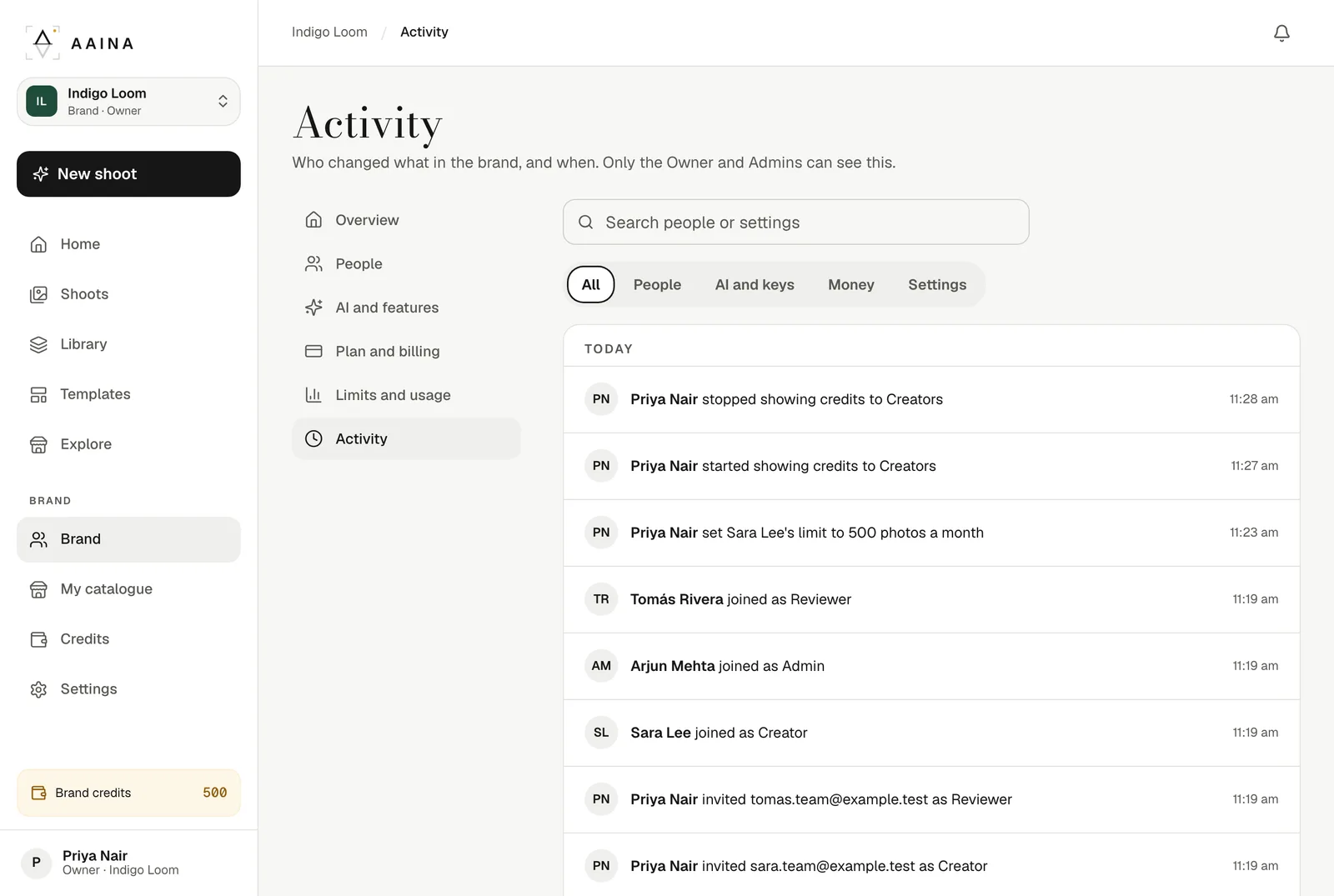
Who changed what, and when: people joining and leaving, roles and limits, invites, the brand's name, colour and logo, settings, plan changes and the OpenAI key (only its last four characters). Only the Owner and Admins can see it.
Yes. The Owner can hand the brand to one of its Admins, and becomes an Admin themselves. If the plan is paid with the old Owner's card, it stops renewing: the brand keeps it until the end of the paid month, then the new Owner starts their own plan.
Not yet. Brands, plans and the activity log are on the website, and plans can only be bought there. The phone app keeps working with your personal studio.
A large team or an agency with many brands? Email hello@aaina.world. New accounts start with 25 free credits in their personal studio; plans start at once when you pay in your account.